 PhotoCargo
You don’t need a full-library staging folder
Suppose your Mac has 150 GB free and you want to copy 200 GB to a 2 TB external drive. You can choose that drive as the destination and let PhotoCargo request originals as needed, instead of manually downloading the entire library before copying.
This is not a promise that every 200 GB transfer will fit within a fixed Mac-space budget. Apple Photos manages its iCloud cache, and temporary local space is still required. The largest individual files and other activity on your Mac also matter.
Set up a steady transfer
- Check that the destination is APFS and has enough free capacity for the files, including room for additional components and existing copies.
- Enable downloading originals from iCloud when needed. Keep the Mac connected to power and a stable network.
- In Mac Storage settings, choose the available-space reserve. The estimate includes purgeable space and is checked periodically. It is a safety threshold, not reserved disk space or a guaranteed minimum. Leave room for macOS and your other work.
- Start with a modest download-ahead level, or turn it off when space is tight. Increase it only when your connection and available storage can support it.
- Review the transfer’s progress and any storage pause. Free space safely or reduce download-ahead before continuing; never delete Photos’ internal cache manually.
What parallel downloading really means
Download-ahead can request upcoming originals while the current item is being copied. It can reduce waiting between files, but it does not guarantee a particular transfer speed. Apple’s service, your network, file sizes and drive performance all affect the result.
PhotoCargo writes to the chosen drive and respects its configured free-space checks. It cannot force Photos to evict cached originals, and it cannot enforce a hard upper limit on the storage Apple Photos uses. Keep the free-space reserve visible during a large transfer.
Keep exploring
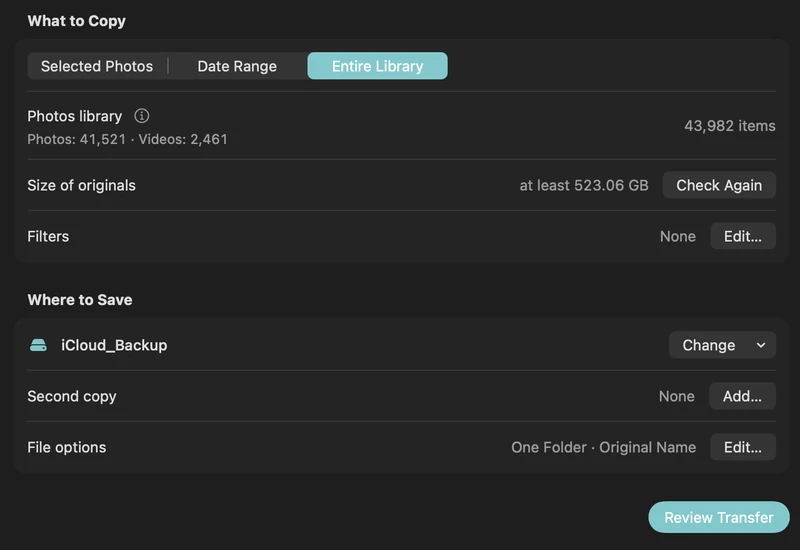
How to back up iCloud Photos to an external hard drive (Mac)
Copy your iCloud Photos originals to an external HDD or SSD on a Mac, even a library bigger than your Mac: PhotoCargo, Photos export, iCloud.com and moving the library.
Read the guide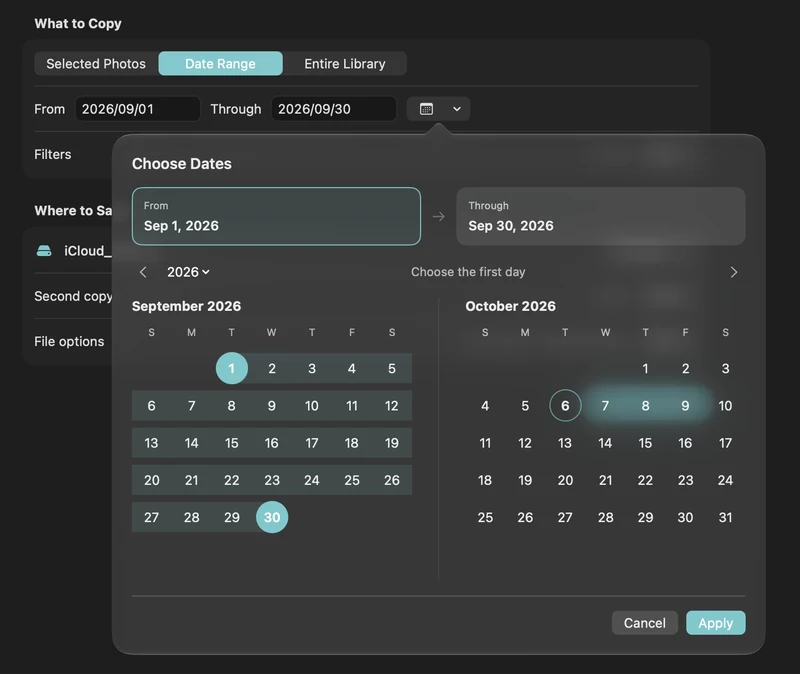
How to free up iCloud storage without losing your photos
Running out of iCloud storage? Move older photos and videos to an external drive safely: verified copies first, then delete in Photos, step by step.
Read the guide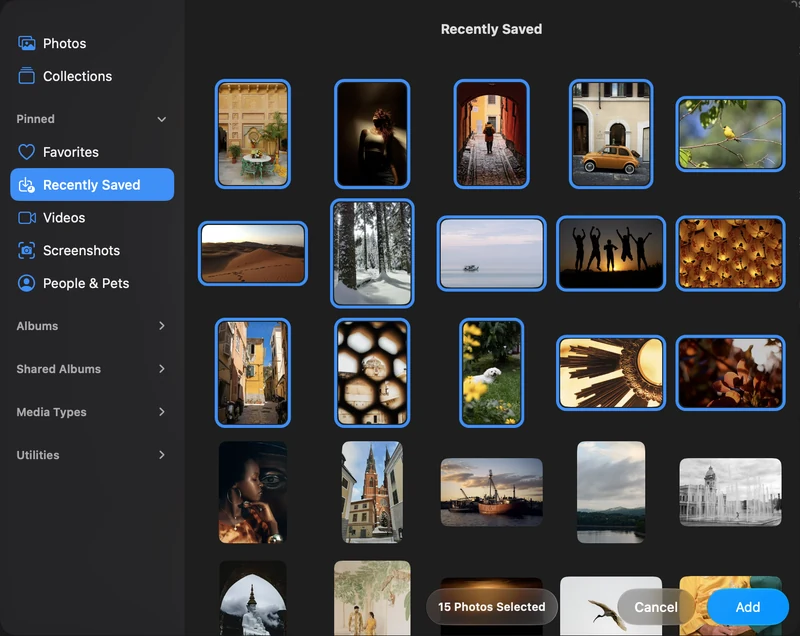
Back up selected photos and videos on your Mac
Connect Apple Photos, choose individual items and make your first verified copy to an APFS drive.
Read the guide

